
How to Start a Podcast: Setup, Recording and Launch
A podcast is an audio show that listeners can play on demand, usually in episodes, through a podcast app on a phone or computer. Starting one does not require a studio, a large audience, or a media background. It requires a clear idea, a quiet place to record, basic equipment, a hosting service that creates your RSS feed, and a plan for publishing episodes on a regular schedule. This guide walks through each step in order, from choosing a concept and audience to recording, editing, hosting, launching, and growing listeners over time. It also covers cover art, show notes, and monetization in general terms. A podcast is one of the online business ideas that can start small and grow alongside a business, a blog, or a personal brand, and it works best when the show answers a real question for a real group of listeners.

1. Choose a concept and an audience
Every good podcast starts with a clear promise: what the listener will learn, enjoy, or think about after each episode. Before you buy equipment or record anything, write that promise down in one sentence. If you cannot explain the show in one sentence, the concept is still too broad, and listeners will not know why they should press play.
Start with the listener, not with yourself. Ask who the show is for, what problem or interest brings them to you, and what they already listen to. A show for new gardeners has a different audience from a show for freelance designers, and the topics, language, and guests should follow from that audience. Pick a group you understand well enough to serve week after week, because a podcast is a long commitment.
Then narrow the concept until it is specific. A show about business is too broad. A show about starting a small food business in a home kitchen is specific enough that a listener can decide in seconds whether it is for them. A narrow concept also makes planning easier, because every episode idea can be tested against the same question: does this help this listener with this topic. Write down three things before you move on: the audience, the promise, and the topics you will not cover. Keep a running list of episode ideas as you go, and aim to have at least ten ideas written down before you record your first episode.
2. Pick a format, episode length and publishing cadence
Format is how the show is put together. The most common formats are a solo host speaking directly to the listener, an interview with a guest, a conversation between two or more hosts, and a narrative or storytelling format with scripted segments. Solo episodes are the simplest to record and edit, and they suit teaching and personal experience. Interviews bring in other voices, but they need scheduling and more editing. Conversations feel natural, while narrative formats take the most preparation.
Choose the format that fits your strengths and your schedule, not the format that sounds most impressive. A solo show recorded in one take is better than an ambitious narrative show that never gets published. You can also mix formats, as long as the listener knows what to expect. Episode length should follow the topic and the listener. Short episodes of ten to twenty minutes suit a single tip or a focused answer, while longer episodes of thirty to sixty minutes suit interviews and deep explanations. Pick a length you can fill with useful content without padding, and keep it fairly steady.
Publishing cadence is how often you release a new episode. Weekly is the most common choice, because it is frequent enough to build a habit and realistic enough to sustain. Fortnightly also works well for longer episodes. Choose a cadence you can keep for at least three months, and publish on the same day each time. Consistency matters more than frequency: a show that appears every Tuesday for a year builds more trust than a show that publishes five episodes in one week and then disappears for two months.
3. Equipment basics: what you need and what you do not
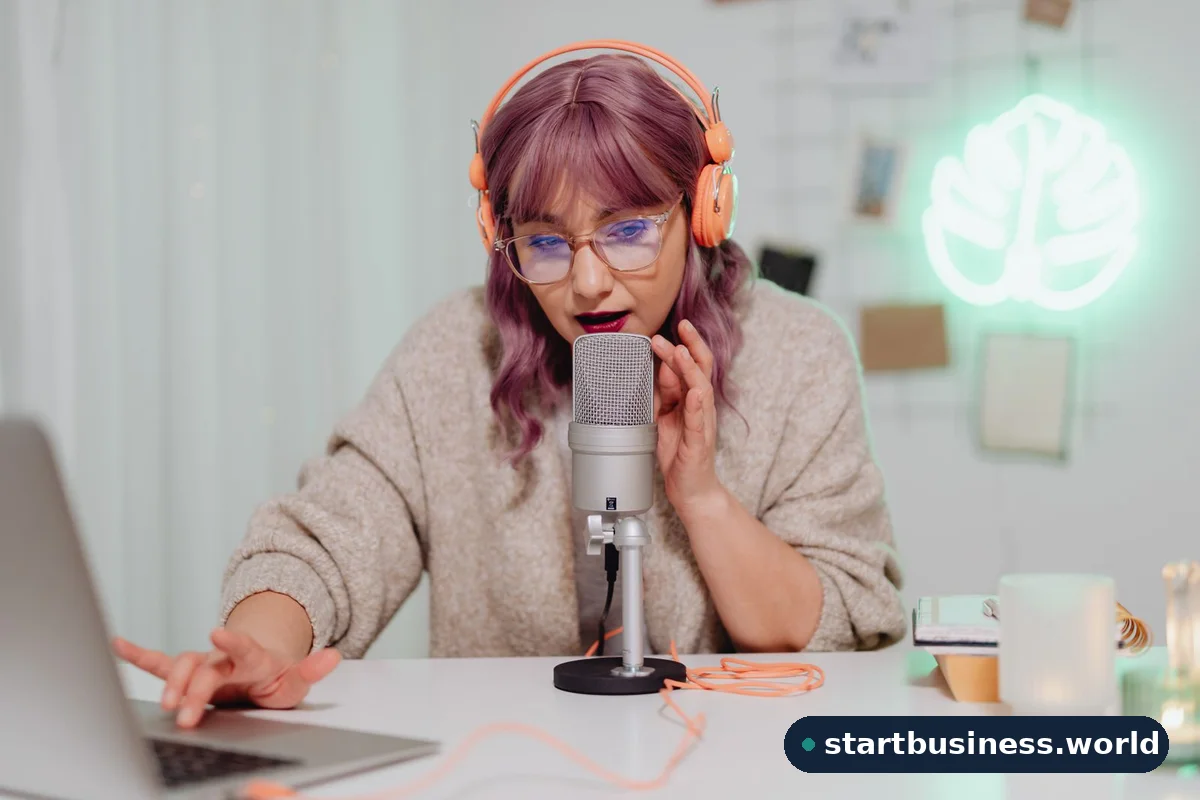
You do not need professional studio equipment to start a podcast that sounds good. Clear audio comes mostly from a quiet room, a decent microphone, and speaking close enough to the microphone, rather than from expensive gear. Start simple, learn to record well, and upgrade only when you know exactly what problem the upgrade will solve.
The core equipment list is short. A USB microphone is the usual starting point, because it connects directly to a computer and needs no extra hardware. Headphones are important too: closed-back headphones let you hear your own voice and any background noise while you record, without the sound leaking back into the microphone. A pop filter is a small screen placed between you and the microphone that softens the sharp bursts of air from sounds like P and B. A microphone stand or boom arm holds the microphone steady at the right height and reduces handling noise.
Your recording space matters as much as your microphone. Choose the quietest room you can, away from traffic, appliances, and echoing hard surfaces. Soft furnishings help: curtains, carpets, cushions, and bookshelves all reduce echo. A small room with soft surfaces will often sound better than a large empty room. Close windows and doors, switch off fans and noisy appliances where you can, and put your phone on silent. Record a short test and listen back with headphones before you record a full episode, because problems that are easy to miss while speaking are obvious on playback.
4. Plan, record and edit each episode
A planned episode sounds confident and stays on topic. Planning does not mean writing out every word: it means knowing the point of the episode, the order of the ideas, and how it will end. Start with a one-line purpose, then list three to five main points in order, with a short note, example, or question under each. This outline becomes your guide while recording, and the basis for your show notes later. For interviews, send the guest the main topics in advance. Write a short opening for each episode, with a welcome, the show name, the topic, and why it matters, and a short closing with a summary and a simple next step.
When you record, set up your equipment first, check that the microphone is selected in your recording software, and record a ten-second test to check the volume. Speak at a normal, conversational pace, at a steady distance from the microphone. Record in a quiet room with no interruptions, and keep a glass of water nearby. If you make a mistake, pause, take a breath, and repeat the sentence from the start. You do not need to stop the recording: a clear pause makes the mistake easy to find and remove in editing. Record each voice on its own track where possible, because separate tracks make editing much easier. Save your recording files straight away, with a clear file name, and keep a backup copy in a second location.

Editing is where a raw recording becomes a listenable episode. The goal is clarity, not perfection. Remove long pauses, repeated sentences, false starts, and distracting background noises, and keep the natural flow. A simple workflow follows the same order each time: mark sections to cut, remove mistakes and long gaps, adjust the volume so the whole episode sits at a consistent level, add your short opening and closing, and then listen to the finished episode with headphones before you publish it. Free and paid audio editing software is available for beginners. Choose one editor, learn its core tools, and stick with it for your first ten episodes. Export the finished episode in a format your hosting service accepts, and keep the same export settings for every episode.
5. Hosting and the RSS feed
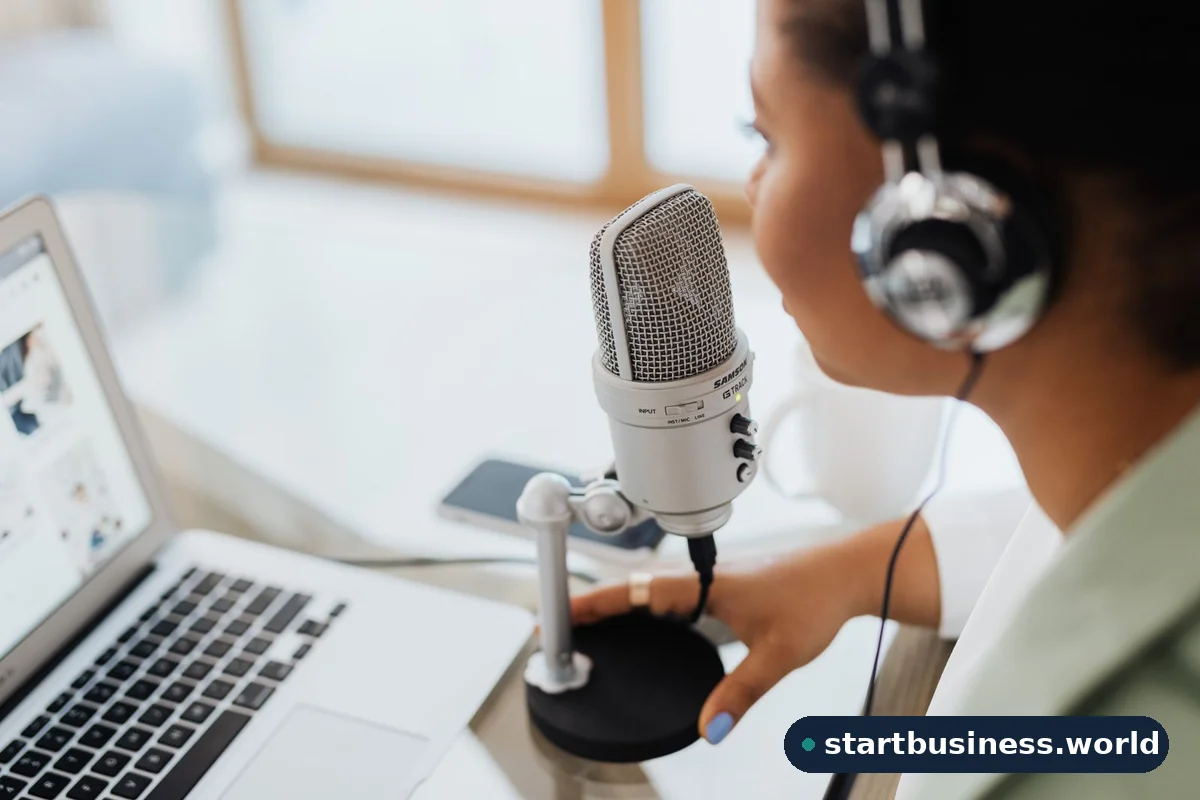
A podcast hosting service stores your audio files and creates the RSS feed that podcast apps use to find and deliver your show. When you publish an episode, the hosting service updates the feed, and the apps check the feed and show the new episode to listeners. You do not upload audio directly to Apple Podcasts or Spotify: you upload it to your host, and the apps read it from there.
When choosing a host, look at the basics first: it should create and manage your RSS feed, let you upload episodes and write show notes, show you simple listening figures for your own episodes, and let you submit your show to the main directories. Some hosts also offer a simple website page for your show, and tools for recording or editing. Read the current terms of any host before you choose it, because features and limits change over time. Your RSS feed is the technical link between your host and the podcast apps. Each episode in the feed carries its title, description, audio file, publish date, and episode number. Keep your episode titles and descriptions accurate, because that is what listeners see in the apps. Do not change the feed address without a plan, because the apps and your existing listeners rely on it. Before you submit your show anywhere, publish at least one episode through your host and check that the feed loads correctly, and fix any missing cover art, missing description, or broken audio link before you submit.
6. Distribution: Apple Podcasts and Spotify
Distribution means getting your show listed in the apps where listeners look for podcasts. The two largest are Apple Podcasts and Spotify, and most new podcasters submit to both. You will need an account with each directory to submit your show, and you will need your RSS feed address from your hosting service. Submission is a one-time step for each directory: once the show is approved and listed, new episodes appear automatically when you publish them through your host.
For Apple Podcasts, you submit your feed through the Apple Podcasts service for podcasters, and Apple reviews the show before listing it. Make sure your cover art, show title, description, and first episodes are complete before you submit. Approval can take some days, so submit well before your planned launch date. For Spotify, you can submit your existing feed through Spotify for Podcasters, which is also a hosting and distribution option for new podcasters. Spotify for Podcasters is the service to check for its current hosting and distribution options, and you should read its current terms before relying on them. After the two main directories, you can also submit to other podcast apps your listeners use. Keep a note of everywhere your show is listed, and check each listing after your first episodes go live.
7. Cover art, show notes and launch plan
Cover art is the small square image that represents your show in podcast apps. Listeners see it before they hear a single word, so it should be clear at a small size, easy to read, and true to the tone of the show. Use the show name in large, readable text, keep the design simple, and use an original image or a properly licensed image. Show notes are the written description that appears with each episode. Good show notes tell the listener what the episode covers, who the guest is if there is one, and where to find anything mentioned, such as a book, a tool, or a website. Write show notes for every episode, in plain language, with the main points in the order they appear.
A launch is stronger when listeners who discover your show find more than one episode to play. Aim to have three to four episodes ready before your launch date: a short introductory episode that explains the show, and two or three full episodes on your core topics. Plan the launch in stages. First, record and edit your launch episodes and write their show notes and cover art. Second, set up your hosting, publish the episodes, and submit your feed to Apple Podcasts and Spotify, allowing time for approval. Third, tell your existing audience through your email list, website, and social media accounts, if you have them. Fourth, publish on your regular schedule from launch day onwards. Do not judge the launch by the first week alone: what matters in the first month is that episodes appear on schedule, the audio is clear, and the show delivers what it promised.

8. Growing listeners over time
Growing a podcast is a slow, steady process, and there is no shortcut that replaces useful episodes published on schedule. The most reliable growth comes from listeners who enjoy an episode and tell someone else about it, so make every episode worth recommending. There are several practical ways to reach new listeners. Appear as a guest on other podcasts in your topic, where the audience is already interested in what you talk about. Write a short post or article for each episode on your website, so search engines can find the topic and lead readers to the audio. Share each episode with your existing audience by email or social media, with a short summary of what the episode covers and who it will help. Mention the show where it is relevant, such as in your email signature or on your about page, without turning every conversation into a promotion.
Ask listeners for reviews and ratings in the podcast apps, because reviews help new listeners decide whether to try a show, and they give you honest feedback. Ask once, politely, at the end of an episode, and do not offer rewards for reviews, because that can mislead other listeners and breach the rules of the app. Keep improving one thing at a time: if your audio is unclear, work on your recording room; if listeners stop part-way through, look at your episode structure; if new listeners are not finding you, work on your episode titles and show notes.
9. Monetization options in general terms
Monetization means earning money from your podcast, and it usually comes later, after you have an audience that trusts you. There is no single right way to earn from a podcast, and the right option depends on your audience, your topic, and your business. This section describes the common options in general terms only, with no income promises and no rates, because earnings vary widely and depend on factors you cannot control.
Sponsorships are the best-known option. A sponsor pays to have their product or service mentioned in your show, usually as a short read by the host, and sponsors generally look for shows with a defined audience that matches their customers. If you take a sponsor, tell your listeners clearly that the segment is sponsored, and only promote products you are comfortable recommending. Listener support is another option: some listeners will support a show they value through a membership, a donation, or a paid extra such as bonus episodes. Your own products and services are often the most practical option for a small business owner, because a podcast can lead listeners to a course, a book, a consulting service, or a product you already sell. You can learn more in our guide to writing a business plan, and in our guide to affiliate marketing for beginners. Whatever route you choose, keep the listener first: a show that helps listeners first will keep the audience that makes any monetization possible.
Browse the full Online Business hub for the other guides in this section, and see our resources page for related planning tools.
Sources
- Spotify for Podcasters — https://podcasters.spotify.com/ — accessed 18 November 2026.
Frequently asked questions
How do I start a podcast with no experience?
Start with a clear concept and audience, plan ten episode ideas, and record a short test episode with a USB microphone, headphones, and a quiet room. Publish through a hosting service that creates your RSS feed, then submit the feed to Apple Podcasts and Spotify.
What equipment do I need to start a podcast?
The basics are a USB microphone, closed-back headphones, a pop filter, and a quiet room with soft furnishings to reduce echo. You do not need a studio, a mixer, or soundproofing to start. Record a test episode and listen back with headphones before you record a full episode.
How long should a podcast episode be?
It depends on the topic and the listener. Short episodes of ten to twenty minutes suit a single tip or a focused answer, while interviews and deep explanations often run thirty to sixty minutes. Pick a length you can fill with useful content and keep it fairly steady from episode to episode.
How do I get my podcast on Apple Podcasts and Spotify?
Upload your episodes to a podcast hosting service, which creates your RSS feed. Submit that feed to Apple Podcasts and to Spotify for Podcasters, and allow time for review and listing. Once listed, new episodes appear automatically when you publish them through your host.
How often should I publish new episodes?
Weekly is the most common choice, and fortnightly also works well for longer or more researched episodes. Choose a cadence you can keep for at least three months, publish on the same day each time, and value consistency over frequency.
Can I make money from a podcast?
Yes, in general terms, through sponsorships, listener support, or your own products and services, but usually only after you have built an audience that trusts you. There are no guaranteed earnings, and the right option depends on your audience and topic, so keep the listener first and add earning options only when they fit the show.
This guide is general educational information, not legal, tax or financial advice. See our disclaimer.
Last reviewed: 25 November 2026.