
How to Start an Ecommerce Business: A Practical Checklist
An ecommerce business is a shop without a high street: you sell physical products online, and the customer never meets you. That removes rent and opening hours, but it adds work that a physical shop does not have — product photography, shipping, returns, payment disputes, and customer service by message instead of face to face. This checklist walks through the decisions in the order that matters: validate the product, choose how to sell, pick a platform, set up payments and fulfilment, and write the policies that protect you when things go wrong. No income promises appear here, because none can be made — ecommerce margins are thin, returns are real, and most stores take time to find customers.
What an ecommerce business actually involves
Selling online has five moving parts, and all five need to work before the first order is a success rather than a problem. First, the product: something people want, at a price that covers its full cost. Second, the store: a website or marketplace listing where customers can find, understand and buy it. Third, payments: a way to take money safely and get it into your bank account. Fourth, fulfilment: picking, packing and shipping the order, and handling it when delivery goes wrong. Fifth, service: answering questions, handling returns, and dealing with unhappy customers in a way that does not destroy the business.
If any part is missing, the others suffer. A good product with slow shipping earns bad reviews. Fast shipping with a confusing returns policy earns disputes. Treat the checklist below as a system, not a menu: work through it in order, and do not launch until every part has at least a working version. For how ecommerce compares with other online models, see Online Business Ideas: Models, Costs, Skills and Trade-Offs.
1. Validate the product before you build the store
Validation means proving, with evidence, that people will pay for the product before you order stock. The most common ecommerce mistake is ordering hundreds of units of something nobody has asked for, then discounting them for months. A small test is cheaper than a warehouse of unsold stock.
Practical ways to validate include selling a small batch first, taking pre-orders with a clear delivery date, listing a small quantity on a marketplace to test demand, or running a simple landing page that measures how many visitors leave an email address or place an order. Talk to potential buyers as well: ask what they buy now, what they pay, and what frustrates them about current options. If ten people say they would buy and none of them pre-orders, believe the pre-order result, not the compliments.
Check the full cost of the product, not just the purchase price. Add shipping to you, packaging, storage, platform fees, payment processing, returns, and your time. A product that sells for a price that looks profitable can lose money once all of those are counted. Work out the numbers on paper before you order, and list every cost in our free startup costs checklist spreadsheet so nothing is forgotten.
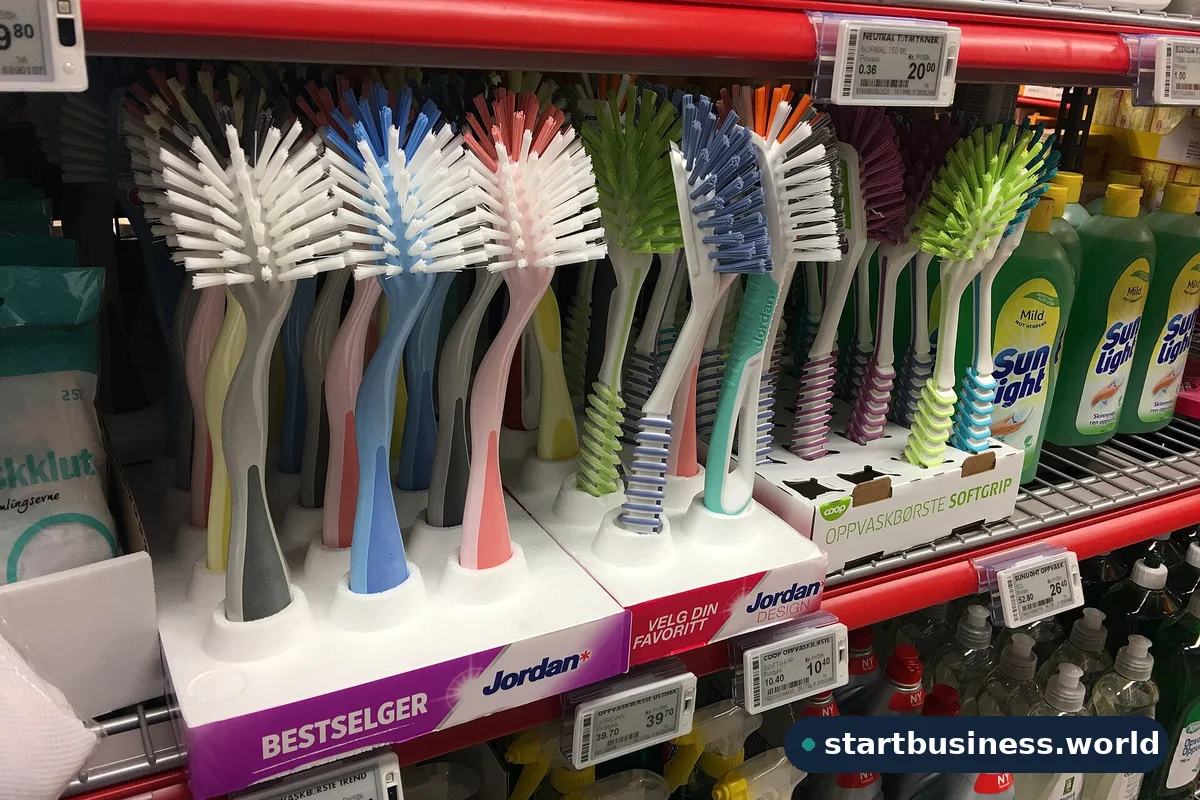
2. Choose how you will sell
There are three main ways to sell online, and they can be combined. Your own store gives you control over branding, pricing and the customer relationship, but you must bring your own traffic. A marketplace gives you buyers who are already searching, but charges fees and controls the rules. Social selling — taking orders through social media or messaging — is the cheapest to start, but the hardest to scale and the weakest for trust.
| Channel | Control | Traffic | Main cost | Main risk |
|---|---|---|---|---|
| Your own store | High | You bring it | Platform and payment fees | No visitors at first |
| Marketplace | Low | Built in | Listing and commission fees | Rule changes; no customer ownership |
| Social selling | Medium | Your audience | Time; payment handling | Hard to scale; weak buyer protection |
Many sellers start on a marketplace to test demand, then add their own store once they know the product sells. That order works because the marketplace answers the validation question first. Whatever you choose, read the channel’s seller terms in full before listing — returns, disputes, payout timing and prohibited items are all defined there, and breaking a rule you did not read is still breaking it.

3. Pick a platform
A platform is the software that runs your store: product pages, cart, checkout, orders and, usually, payments. The choice matters less than most guides suggest — customers care about the product, the price, the delivery time and the returns policy, not which software you used. Pick based on what you can actually run: your budget, your technical comfort, and the features you need now, not features you might need in two years.
Before committing, check five things. Does the platform support the payment methods your customers use? Does it calculate or handle sales tax for the places you sell? Can it print shipping labels and send tracking information? Does it let you write your own returns and privacy policies? And can you leave — can you export your product list and customer data if you switch platforms later? A platform that locks your data in is a platform you cannot leave without starting over.
Keep the store simple at launch. Customers need clear product photos, honest descriptions, the total price including shipping, a delivery estimate, and a returns policy they can find. Fancy design does not fix a store that hides the delivery cost until checkout — that is one of the most common reasons customers abandon a cart.
4. Payments: getting paid without surprises
Payments have three parts: what the customer pays with, when the money reaches you, and what happens when a payment is disputed. Most stores accept cards and at least one digital wallet; the exact options depend on your country and your platform. Check which payment methods are available in your country before you build the store — not every processor operates everywhere, and some methods that work in the US are not available elsewhere.
Understand the payout timing and the fees before you price anything. Payment processors take a percentage of each sale plus, often, a fixed amount per transaction, and marketplaces take their own commission on top. Payouts may arrive days after the sale, not immediately. Build those facts into your pricing: a price that ignores fees is a price that loses money.
Disputes and chargebacks are part of ecommerce. A customer who does not receive an order, or receives the wrong item, can ask their bank to reverse the payment. Keep records for every order — proof of shipment, tracking, and the customer’s messages — because that is what you will need to answer a dispute. Clear product descriptions, accurate delivery estimates and fast replies prevent most disputes before they start.

5. Fulfilment: getting the product to the customer
Fulfilment is everything between the order and the delivery: picking the item, packing it safely, labelling it, handing it to a carrier, and telling the customer it is on its way. You can do it yourself, use a third-party fulfilment service, or use the supplier-to-customer model described in our dropshipping guide (plain text, not yet published). Each option trades control against time: doing it yourself is cheapest and slowest; outsourcing costs more and frees your time.
Decide your shipping rules before launch and publish them. Which countries or regions do you ship to? How long does delivery take? What does it cost, and is there free shipping above a certain order value? Customers decide based on the total price and the delivery time, so hiding either until checkout loses sales. Test the whole process yourself: place a test order, pack it, ship it, and track it. If the packaging is weak, the label is unclear, or the tracking does not update, fix it before a real customer finds the problem.
Plan for the things that go wrong: parcels lost in transit, damaged goods, and wrong addresses. Decide in advance who pays for a replacement, how quickly you will reship, and what proof you need from the customer. A calm, written process turns a delivery failure into a customer who comes back; an improvised argument turns it into a bad review.
6. Returns, refunds and customer service
Returns are a cost of ecommerce, not a surprise. Customers cannot touch the product before buying, so some of them will send it back. Your returns policy should state, in plain language: how long the customer has to return an item, what condition it must be in, who pays return shipping, how long a refund takes, and what happens if the item arrives damaged or wrong.
Write the policy before launch, publish it where customers can find it, and follow it exactly. The FTC’s business guidance notes that advertising and selling rules apply online just as they do offline — claims about a product must be truthful, and the total price including fees must be clear. Check the FTC’s guidance for your situation rather than copying another store’s policy, which may describe different laws or a different returns promise.
Customer service is the part of ecommerce that most new sellers underestimate. Answer quickly, politely, and with the facts: order number, tracking, and the next step. A fast, honest reply to a problem is often what turns a one-time buyer into a repeat customer. Keep templates for the common questions — delivery times, returns, damaged items — but write each reply as if it were the only message that customer will ever receive from you, because it may be. For the full picture, browse the Online Business hub.

7. Country availability: what works where
Ecommerce is global in theory and local in practice. Payment processors, marketplaces, shipping carriers and tax rules all vary by country. A platform available in the US may not operate in your country; a payment method your customers expect may not be offered there; and a carrier that delivers in one country may not deliver in another.
Before you choose a platform, a payment processor or a marketplace, check its availability for your country on its own official site. The same applies to selling into other countries: check whether you need to register for tax there, whether the products you sell are restricted, and what the delivery times and costs actually are. Selling to a country you cannot reliably serve is worse than not selling there at all, because the bad reviews stay after the orders stop.
Product pages that sell: photos, descriptions and trust
Online, the product page is the product. Customers cannot pick the item up, so they judge it from photos, measurements and words. Use several clear photos from different angles, show the product in use where that helps, and include exact measurements and materials. Write descriptions in your own words, based on the real item — not copied from a supplier — and state what is included and what is not. A description that promises more than the product delivers is the fastest route to returns and bad reviews.
Trust signals matter as much as photos. Show the total price including shipping before checkout, the delivery estimate, the returns policy, and a way to contact you. A store that hides the delivery cost or has no contact details looks risky, and customers leave. Keep descriptions honest and complete, and update them when the product changes — an outdated page is a promise you can no longer keep.
Launch checklist
- Product validated. Small batch sold, pre-orders taken, or real demand shown — not just compliments.
- Full costs worked out. Product, shipping, packaging, fees, returns and your time, all listed.
- Channel chosen. Own store, marketplace, or both — with the seller terms read.
- Platform set up. Product pages, photos, descriptions, prices and policies complete.
- Payments tested. A test purchase completed, payout timing understood, fees counted.
- Shipping tested. A test order packed, labelled, shipped and tracked end to end.
- Policies published. Returns, refunds, shipping and privacy policies written and visible.
- Business registered and licenced. Registration, EIN and any licences sorted before trading.

Common mistakes to avoid
- Ordering stock before validating. A warehouse of unsold products is the most expensive lesson in ecommerce.
- Pricing without fees. Platform fees, payment processing and returns all come out of the same price.
- Hiding delivery costs until checkout. Customers abandon carts when the total jumps at the last step.
- No written returns policy. Improvising returns case by case leads to disputes and bad reviews.
- Copying another store’s policies. Their policies describe their laws and their promises, not yours.
- Launching with one product photo. Customers cannot touch the product — photos and measurements are the product.
- Ignoring customer messages. Slow or rude replies cost more sales than a bad product page.
Sources
- U.S. Small Business Administration, “10 steps to start your business” — https://www.sba.gov/business-guide/10-steps-start-your-business — accessed 18 November 2026.
- Federal Trade Commission, Business Guidance — https://www.ftc.gov/business-guidance — accessed 18 November 2026.
- Internal Revenue Service, “Apply for an Employer Identification Number (EIN) online” — https://www.irs.gov/businesses/small-businesses-self-employed/apply-for-an-employer-identification-number-ein-online — accessed 18 November 2026.
- SCORE, free business mentoring and resources — https://www.score.org/ — accessed 18 November 2026.
- No income figures, platform fees, payment rates or success rates are quoted in this guide, because they vary by platform and country and change frequently. Check the current terms of any platform or processor before relying on them.
Frequently asked questions
How much money do I need to start an ecommerce business?
It depends on the product and the channel. A marketplace listing with a small batch of stock can start with very little; your own store with inventory costs more. The honest answer is to list every cost — product, shipping, packaging, platform and payment fees, returns — in a startup costs spreadsheet, and only order stock once the total is one you can afford to lose.
Should I sell on my own store or a marketplace?
Marketplaces give you buyers who are already searching, but charge fees and control the rules. Your own store gives you control and the customer relationship, but you must bring your own traffic. Many sellers start on a marketplace to test demand, then add their own store once the product is proven.
Do I need to register a business to sell online?
In most cases, yes — at least a business registration and an EIN, plus any licences your state or city requires. Registration is separate from licences, and both should be sorted before you start trading. Check the SBA’s guides and your state’s business portal for your situation.
How do I handle returns?
Write a returns policy before launch: how long customers have, what condition items must be in, who pays return shipping, and how long refunds take. Publish it where customers can find it and follow it exactly. Returns are a normal cost of ecommerce, so budget for them from the start.
What is the hardest part of running an ecommerce store?
Most sellers say it is not the website — it is everything around it: finding customers, answering messages, packing and shipping reliably, and handling returns and disputes. The store is the easy part. The daily operations are the business.
Can I run an ecommerce business from another country?
Often yes, but payment processors, marketplaces, shipping carriers and tax rules vary by country, and not every platform operates everywhere. Check the availability of each service in your country on its own official site before you build anything, and check the tax rules for every country you sell into.
Photo credits: Wolfmann (CC BY-SA 4.0).
Last reviewed: 25 November 2026.