
Bookkeeping Basics for Small Business Owners
Bookkeeping is the habit of recording what your business earns and spends, so you always know where you stand. It is not accounting theory and it is not tax preparation — it is the daily and weekly routine that makes both of those possible. Good records help you monitor the progress of your business, prepare financial statements, identify sources of income, keep track of deductible expenses, and support the items on your tax returns. That is the IRS’s own list — and the right frame for this guide: bookkeeping exists so you can make decisions, pay the right amount of tax, and prove what you claimed if you are ever asked. This guide builds a simple system — records, reconciliation, invoices, receipts and software — that a busy owner can actually run every week. Tax rules vary by country and by business structure, so where a rule depends on your jurisdiction, this guide points you to the official source instead.
What bookkeeping actually is
Bookkeeping means recording every business transaction — every sale, every expense, every payment in and out — in one place, in an organised way, soon after it happens. The record needs four things: the date, the amount, what it was for, and who it was with. If any of them is missing, you will be guessing later — and guessing is where tax mistakes come from.
Two concepts matter from the start. The first is separating business money from personal money: open a separate business bank account and run all business income and spending through it, even if you are the only person in the business. Mixed money is the most common bookkeeping mess — it makes your records unreliable, your tax return harder, and your business look unprofessional to a lender. The second is the difference between cash and accrual recording. Under the cash method you record income when the money arrives and expenses when you pay them. Under the accrual method you record income when you earn it — when you complete the sale — even if the customer has not paid yet. The SBA explains the difference with a simple example: if you make a sale in January and receive the $200 payment in February, the accrual method records it in January’s books, while the cash method records it in February. Most very small businesses start with the cash method because it matches the bank account. Whichever you choose, use it consistently, and check with your tax authority whether your business is allowed to choose — in the US, the IRS sets rules on accounting methods, and your choice can affect your tax return.
The records you must keep
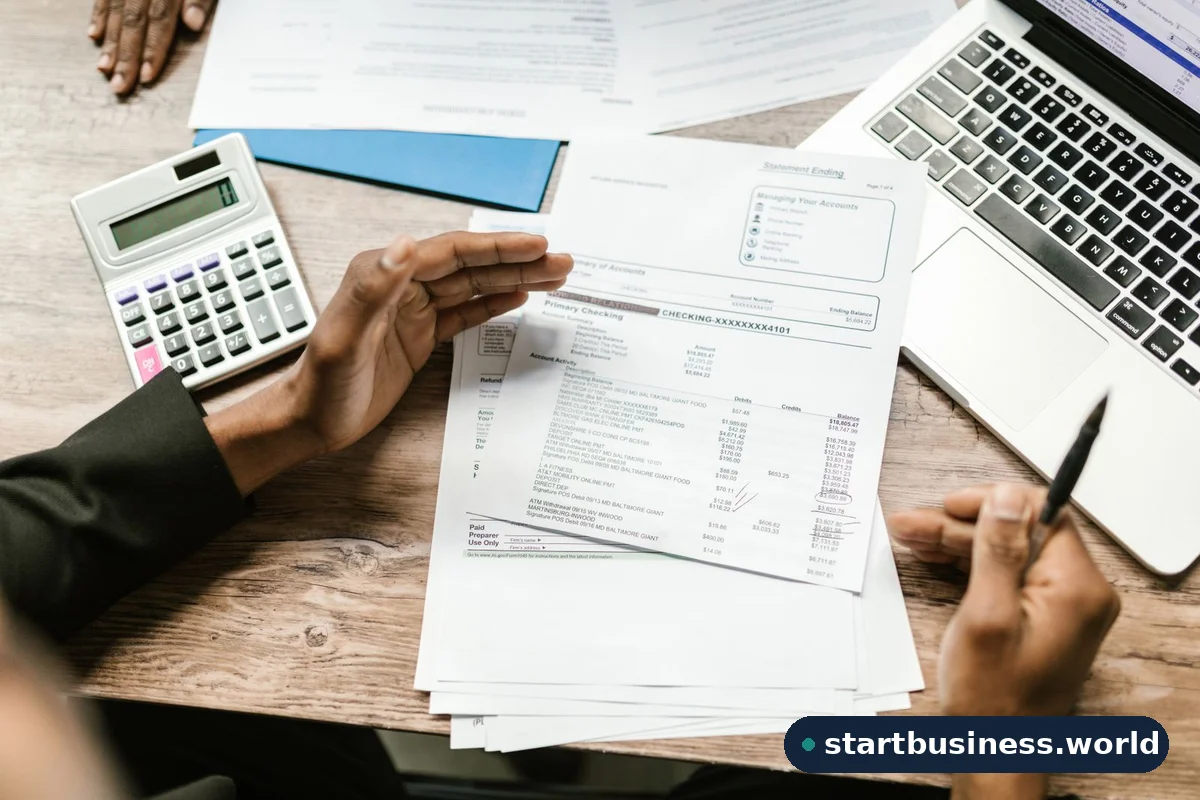
The IRS says you may choose any recordkeeping system suited to your business that clearly shows your income and expenses, and that, except in a few cases, the law does not require any special kind of records. What matters is that the system is complete and honest. In practice, a small business needs these records:
- Sales records. Every sale: date, customer, what was sold, amount, and how it was paid. If you use a till, a payment app or an online store, those systems generate this — but you still need to check it against your bank account.
- Expense records. Every business purchase: date, supplier, what it was, amount, and the receipt or invoice. If an expense is partly personal and partly business — a phone used for both, for example — record the business share and note how you worked it out.
- Bank and card statements. Keep them, and reconcile them against your books (see the next section). The bank statement is the independent check on your own records.
- Invoices you send and receive. Keep copies of every invoice you issue and every invoice a supplier sends you, with the payment date marked on each one.
- Receipts. Keep the receipt for every business purchase, however small. A bank statement line proves you paid; only the receipt proves what you bought.
- Payroll records, if you have staff. Hours, pay rates, tax withheld, and payments made. In the US, the IRS requires employment tax records to be kept for at least four years.
- Asset records. What the business owns — equipment, vehicles, computers — what it cost, and when it was bought. You need this to work out depreciation and to prove ownership.
- Tax filings and correspondence. Copies of every return filed and every letter from a tax authority, kept with the records for that year.
How long should you keep all of this? The IRS says the length of time depends on the action, expense or event the document records, and that you must keep your records as long as needed to prove the income or deductions on a tax return. In practical terms, that means keeping records for several years after the tax year they relate to — and checking your own country’s rules, because retention periods differ. Do not throw business records away. Storage is cheap; reconstructing a missing year is not.
Reconciliation: the weekly habit that catches mistakes
Reconciliation means comparing your books against your bank statement and making sure they agree. It is the single most valuable bookkeeping habit, because it catches mistakes that otherwise sit undiscovered for months: a sale recorded twice, a payment that never arrived, a subscription you forgot, a bank fee you did not expect.
Do it weekly, not yearly — the routine takes about thirty minutes once the system is set up:
- Open your bank and card statements for the week and your bookkeeping records side by side.
- Tick off every transaction that appears in both places.
- Investigate anything that appears in only one place. A bank charge with no receipt is a question to answer, not a line to ignore.
- Check that the closing balance in your books matches the bank balance. If it does not, find the difference before you move on — small differences are usually a mistyped amount or a missing transaction.
- File the week’s receipts and invoices where they belong, and note any invoices that are overdue.
If you use bookkeeping software, much of this is automated — bank feeds import transactions and the software suggests matches. You still need to check the suggestions: software matches by amount and date, and it cannot tell a business lunch from a personal one. Without reconciliation, your profit figure is a guess, and a guess is a bad basis for pricing, hiring or borrowing.

Invoices: getting paid on time
An invoice is a request for payment, and it is also a record. A good invoice contains the business name and contact details, the customer’s name, a unique invoice number, the date, a clear description of what was supplied, the amount, the payment due date, and how to pay. If you charge sales tax or VAT, show it as a separate line — the rules for this vary by country and, in the US, by state, so check your local requirements rather than copying another business’s format.
Send invoices promptly, number them in order, and chase them when they are late. Money owed to you is not income until it arrives, and late payment is one of the most common cash-flow problems small businesses face. Three habits prevent most of it. First, agree payment terms before the work starts, in writing, so there is no argument later. Second, send the invoice the day the work is done — a week of delay in sending is a week of delay in being paid. Third, follow up on the due date, politely and promptly, and keep a note of every follow-up. A customer who is a week late once is forgetful; a customer who is a month late three times is a credit risk.
Keep a list of unpaid invoices — who owes you, how much, and since when — and review it every week alongside your reconciliation. That list is your accounts receivable, and it is real money. If the list grows faster than your bank balance, your problem is not sales; it is collection.
Receipts: small slips, big consequences
Receipts are the evidence behind your expenses. Without them, you cannot prove what you bought, and an expense you cannot prove is an expense you may not be able to deduct. The burden of proof, in the IRS’s words, is the responsibility to substantiate the entries, deductions and statements made on your tax returns. A receipt does that job.
Build a system that takes seconds, not hours. Photograph or scan every receipt on the day you get it, name the file by date and supplier, and store it in one place — a folder per month, or your bookkeeping software’s receipt store. Paper receipts fade, get lost and pile up; a photographed receipt backed up to the cloud does not. At the end of each week, check that every card payment in your bank statement has a matching receipt. Anything missing is a gap in your evidence, and the longer you leave it, the harder it is to fill.
For expenses without a conventional receipt — a market stall, a parking meter, a tip — write a note on the day: date, amount, what it was for, and who was involved. A note written on the day is far better evidence than a memory reconstructed months later. And remember that not every receipt is a business expense: a meal with a friend is not a business cost because you talked about work.
Choosing software: compare by use case, not by price list
Bookkeeping software exists to do three things: record transactions, reconcile them against the bank, and produce the reports you need — profit and loss, who owes you, what you owe, and the figures for your tax return. Almost every product on the market does these three things. The differences are in fit, not in quality, so choose by your use case rather than by a feature list or a quoted price — prices change, and this guide does not quote them.
| Your situation | What to look for | What matters less |
|---|---|---|
| Just starting, few transactions | Simple income and expense tracking, receipt photos, invoicing | Payroll, inventory, multi-currency |
| Service business, invoicing clients | Professional invoices, payment reminders, time tracking | Stock control, point-of-sale features |
| Selling products, holding stock | Inventory tracking, cost of goods, supplier records | Project tracking, hourly billing |
| Growing, with staff | Payroll, user permissions, accountant access | The simplest entry-level plan |
| Working with an accountant | Whatever your accountant already uses — ask them first | Your personal preference for the interface |
This guide has not tested any bookkeeping software, and it does not recommend a specific product. List your own needs first — how many transactions a month, whether you invoice, whether you hold stock, whether you have staff — then take the free trial of two or three products that fit, enter a real week of your own transactions, and see which one you will actually keep using.
Whatever you choose, keep a backup of your data outside the software — export your records regularly, and keep your receipt photos in your own storage as well. And if your business grows to the point where the books take more time than the business, that is the moment to hire a bookkeeper — not a sign of failure, but a sign the business can afford help. A bookkeeper handles the day-to-day recording; an accountant advises on tax and structure.

Cash flow: the number that actually matters
Profit and cash are not the same thing. A business can be profitable on paper and still run out of money, because its customers have not paid yet while its own bills are due now. Bookkeeping shows you both numbers: the profit and loss report tells you whether the business makes money, and the bank balance plus unpaid invoices and bills tell you whether you can pay this month’s costs.
Watch three figures every week: cash in the bank, money owed to you, and money you owe. If money owed to you is growing, chase invoices. If money you owe is growing faster than cash, slow down spending or negotiate terms with suppliers before the gap becomes a crisis. Our Business Finance hub covers cash flow in more depth, and if you need a starting template, the Templates page has a free cash-flow forecast worksheet you can download.
One more distinction that confuses new owners: your drawings — money you take out of the business for personal use — are not a business expense. Record them separately, as owner withdrawals, so they never muddy your profit figure.
Common bookkeeping mistakes
- Leaving it until tax time. A year of unrecorded transactions is a reconstruction project. Thirty minutes a week beats thirty hours in a panic.
- No separate account. Mixing personal and business spending makes every other habit harder. Separate the money first; everything else follows.
- Recording sales but not expenses. Overstating profit means overpaying tax and misunderstanding the business. Every cost counts, including the small ones.
- Treating the bank balance as profit. The bank balance includes money owed to suppliers, tax set aside, and customer deposits. It is not yours to spend until the obligations are covered.
- No backup. A lost laptop or a closed software account should never mean lost books. Export and back up regularly.
- Guessing at tax rules. Tax rules vary by country, state and business structure, and they change. Check the official source — in the US, the IRS small business pages — or ask an accountant. A guide article cannot replace that.

Your first month: a simple setup routine
- Open a separate business bank account, and route all business money through it.
- Choose your recording method — cash or accrual — and note why you chose it.
- Pick your software or spreadsheet, and set up the categories you will use: sales, and the main expense types your business actually has.
- Photograph every receipt on the day, and store it by month.
- Send every invoice the day the work is done, numbered in order, with clear payment terms.
- Every Friday, reconcile: match the bank statement to your books, chase overdue invoices, and file the week’s receipts.
- At month end, look at three reports — profit and loss, who owes you, what you owe — and write down one thing you learned about the business.
That is the whole system. It is not sophisticated, and it does not need to be: bookkeeping works when it is done regularly, not when it is complicated. If you are writing a business plan, your bookkeeping system is part of it — a lender will want to see that you know your numbers, and this routine is how you will know them.
Sources
- Internal Revenue Service, “Recordkeeping” — https://www.irs.gov/businesses/small-businesses-self-employed/recordkeeping — accessed 18 November 2026.
- Internal Revenue Service, “Small Businesses Self-Employed” — https://www.irs.gov/businesses/small-businesses-self-employed — accessed 18 November 2026.
- U.S. Small Business Administration, “Manage your business” (cash vs accrual methods; bookkeeping and accounting) — https://www.sba.gov/business-guide/manage-your-business/marketing-sales — accessed 18 November 2026.
- The software comparison table in this guide is the author’s own framework, organised by use case. No prices are quoted and no product is recommended, because prices change and the right choice depends on the business. This guide has not tested any bookkeeping software.
This guide is general educational information, not tax or financial advice. Tax rules vary by country, state and business structure — check the official source for your jurisdiction or ask a qualified accountant. See our disclaimer.
Frequently asked questions
What is the difference between bookkeeping and accounting?
Bookkeeping is recording what the business earns and spends — the day-to-day transactions, invoices, receipts and reconciliation. Accounting uses those records to produce financial statements, plan tax, and advise on decisions. In a small business the same person often does both at first, but they are different jobs.
Can I do my own bookkeeping, or do I need a bookkeeper?
Most owners can do their own bookkeeping at first, especially with software and a weekly routine like the one in this guide. Hire a bookkeeper when the volume of transactions takes more time than you can spare, or when the books keep falling behind.
How long should I keep business records?
Keep them as long as needed to prove the income or deductions on a tax return — that is the IRS’s rule, and retention periods vary by country and by the type of record. In the US, employment tax records must be kept for at least four years. In practice, keep business records for several years after the tax year they relate to, and check your own jurisdiction’s rules.
What is the easiest bookkeeping method for a small business?
For most very small businesses, the cash method is simplest: record income when the money arrives and expenses when you pay them. The accrual method records income when it is earned, which gives a clearer picture for businesses that invoice and wait for payment. Use one method consistently, and check whether your tax authority allows you to choose.
Do I need bookkeeping software, or is a spreadsheet enough?
A spreadsheet is enough when transactions are few and simple — it is cheap, flexible and entirely under your control. Software becomes worth it when you invoice regularly, need bank feeds and reconciliation, or want reports for tax time without building them yourself. The deciding factor is not features but whether you will maintain the system.
What happens if my records are incomplete?
Incomplete records mean you cannot prove what you claimed, which is a problem if a tax authority asks — the burden of proof is on you, not on them. It also means your profit figure is unreliable, so pricing, hiring and borrowing decisions rest on guesses. If your records are behind, rebuild them from bank statements, invoices and receipts, starting with the most recent month.
Last reviewed: 22 November 2026.